If you are looking for new Drake drinkware, either for yourself or to give as a gift, check out shop.drake.edu as it is 20% off through Sept. 23.
—Caron Findlay, Director, Purchasing and Business Services

If you are looking for new Drake drinkware, either for yourself or to give as a gift, check out shop.drake.edu as it is 20% off through Sept. 23.
—Caron Findlay, Director, Purchasing and Business Services
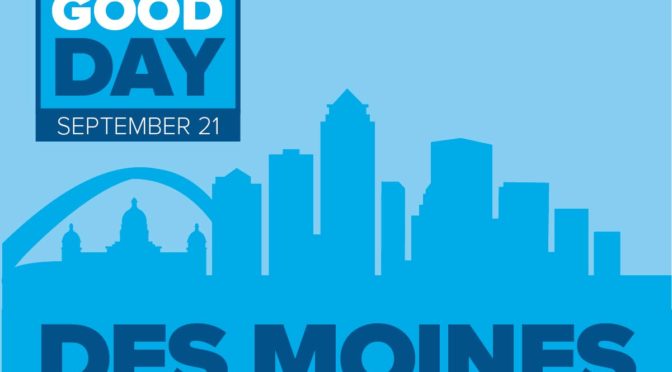
DU Good Day is an opportunity for Bulldogs to give back together in their communities. Drake alumni and friends in 11 cities across the country are gathering for service projects on Sept. 21 during the annual DU Good Day. Drake faculty, staff, students, and their families are invited to volunteer at the Des Moines site. The Des Moines team is volunteering with Community Youth Connection to complete some outdoor site clean-up and improvement projects at Stowe Elementary (1411 E 33rd St, Des Moines) from 8:30 a.m. to 12:30 p.m. (Minimum age for volunteering is 6.) Volunteers will gather at Papa Keno’s for lunch after the project. Register here.
Questions? Contact Keesha Ward, assistant director, Alumni Relations, at keesha.ward@drake.edu.
—Keesha Ward, Alumni Relations
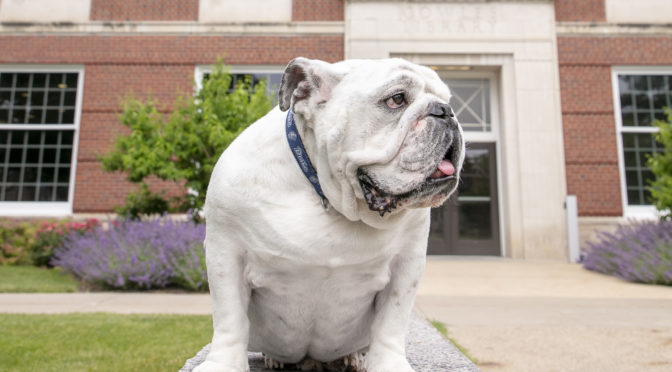
Whether you’ve met him ambling across campus, had your photo taken with him at a Drake sporting event, or just follow his adventures on social media (if you don’t, you should) you know the impact that Live Mascot Griff has on the Drake experience and brand. In just four years, the Live Mascot Program has grown into a key focus of Drake’s culture. The Live Mascot provides a sense of community on campus and serves as an ambassador to the broader community for all Drake represents.
In recognition of the program’s importance and impact, a group of Drake community members including students, faculty, and alumni are launching a crowdfunding initiative to ensure that future Drake students will also benefit from having a Bulldog on campus through the Live Mascot Program. Keep an eye out on the alumni social channels for glimpses into the Live Mascot Program and your opportunity to support a program that gives so much to Drake.
This will be the pilot project for a new crowdfunding platform titled “Here’s to the One” being launched by Drake. The program takes its name from Drake’s fight song, “The ‘D’ Song”. The name is a nod to a Drake tradition, but also serves to recognize the many people at Drake who are doing incredible things.
More information on the platform itself will be available in the coming months. If you have any questions about the Live Mascot Program or crowdfunding at Drake, please contact Becca Widmer, director of Annual Giving, at becca.widmer@drake.edu.
—Alicia Chilton, University Communications & Marketing
PARKING CLOSURE: As previously announced, the Olmsted Lot will be closed for a Career Fair event this Friday, Sept. 13, from 6 a.m. to noon. Zone 1 permits (Olmsted Lot) will be honored in any lot except for Red and Green Zones on Friday. The lot will reopen at noon for permit holders.
ITS is migrating the Oracle Database environment on Saturday, Sept. 14, from 7 a.m. to 7 p.m. During this time, Ethos Single Sign-On, myDrake, Banner 9 Admin Pages, MyDUSIS, eTranscripts, and many other Drake applications will be unavailable. The migration is necessary as the current server hosting these databases is nearing end of life.
If you experience issues outside of this window, please call the Support Center at 515-271-3001 or visit https://service.drake.edu to report your issue. Thank you for your patience as we continue to strive to provide superior service.
—Carla Herling, IT Communications Manager
The Occupational Therapy Doctorate students are presenting various health and wellness information weekly in the Cline Atrium from 11 a.m. to 1 p.m. The following are the dates and topics to be presented:
September 11: Sleep Hygiene
September 17: Backpack Awareness
September 24: Meal Planning
October 1: Brain Health
October 22: Life Balance
October 29: Fall Reduction
November 5: Technology Detox
November 12: Mindful Occupation
November 19: Winter Health
December 3: Stress Management during the holidays
Please join us!
—Denise Kluever, Occupational Therapy Program
Pi Theta Epsilon, the academic occupational therapy honor society is sponsoring Youth Mental Health First Aid on 11/9/19 at the OT Building, 3003 Forest Ave for interested individuals, $75.00. Seats are limited and registration is required. For more information, contact Christine.Urish@drake.edu
Youth Mental Health First Aid is designed to teach parents, family members, caregivers, teachers, school staff, peers, neighbors, health and human services workers, and other caring citizens how to help an adolescent (age 12-18) who is experiencing a mental health or addictions challenge or is in crisis. Youth Mental Health First Aid is primarily designed for adults who regularly interact with young people. The course introduces common mental health challenges for youth, reviews typical adolescent development, and teaches a 5-step action plan for how to help young people in both crisis and non-crisis situations. Topics covered include anxiety, depression, substance use, disorders in which psychosis may occur, disruptive behavior disorders (including ADHD), and eating disorders.
Register here or find more information about mental health first aid.
—Christine Urish, Professor of Occupational Therapy
Drake’s Title IX webpage is a one-stop resource for information, resources, and policies addressing sexual and interpersonal misconduct, including sexual violence or assault, sexual harassment, sexual exploitation, dating/domestic violence, or stalking. The webpage includes the Sexual and Interpersonal Misconduct policy, resources for support, options for reporting, and assistance with safety, housing, or classes or with finding information about our processes and policies.
If you have questions about sexual and interpersonal misconduct, or if you would like to learn more about prevention efforts or Drake’s policies and procedures, please contact the Interim Title IX Coordinator, Tricia McKinney (271-2100 or titleix@drake.edu) or the Violence Prevention Coordinator, Lynne Cornelius (271-4141 or prevention@drake.edu).
Define the Line. Respect the Line. is a Drake initiative to raise awareness of prevention efforts as well as resources and support the University provides as it pertains to sexual and interpersonal misconduct. Define the Line. Respect the Line. emphasizes that while everybody has the right to determine their own line, there is one clear line at Drake: sexual or interpersonal misconduct is not tolerated, accepted, or ignored. Think, talk, learn, listen, and act in a way that respects this line—we are all part of Drake.
— Tricia McKinney, Interim Title IX Coordinator, and Lynne Cornelius, Violence Prevention Coordinator
The Sexual and Interpersonal Misconduct Student Advisory Committee is welcoming at-large members. The advisory committee is a collaboration between students and the staff most closely involved in matters related to sexual and interpersonal misconduct on campus. The committee is co-chaired by Title IX Coordinator and Violence Prevention Coordinator.
In addition to at-large members, the committee includes several standing positions such as Student Senate, Fraternity & Sorority Life, Residence Hall Association, and Athletics. Last year the committee provided valuable input and feedback regarding webpage development, online reporting, prevention programing and strategies, and University policy language.
The committee will hold three or four official meetings throughout the year. Committee members will also have the opportunity to offer feedback and input on projects. If you are interested in serving as an at-large member, please contact Lynne Cornelius at lynne.cornelius@drake.edu by Sept. 14. For questions about the advisory committee, Lynne.
Define the Line. Respect the Line. is a Drake initiative to raise awareness of prevention efforts as well as resources and support the University provides as it pertains to sexual and interpersonal misconduct. Define the Line. Respect the Line. emphasizes that while everybody has the right to determine their own line, there is one clear line at Drake: sexual or interpersonal misconduct is not tolerated, accepted, or ignored. Think, talk, learn, listen, and act in a way that respects this line—we are all part of Drake.
— Lynne Cornelius, Violence Prevention Coordinator
The Office of Community Engaged Learning has opened a mini-grant application to support community engaged learning initiatives and global service learning projects. These could be tied to a course, student organization, individual project, etc. All projects must be done in collaboration with a community partner and meet a community-identified need. Grants typically range from $25–$200. View FAQs and applications.
Help Drake live out its inspiration statement of transforming lives and strengthening communities today! Contact amanda.martin@drake.edu for more information.
—Amanda Martin, Assistant Director, Community Engaged Learning